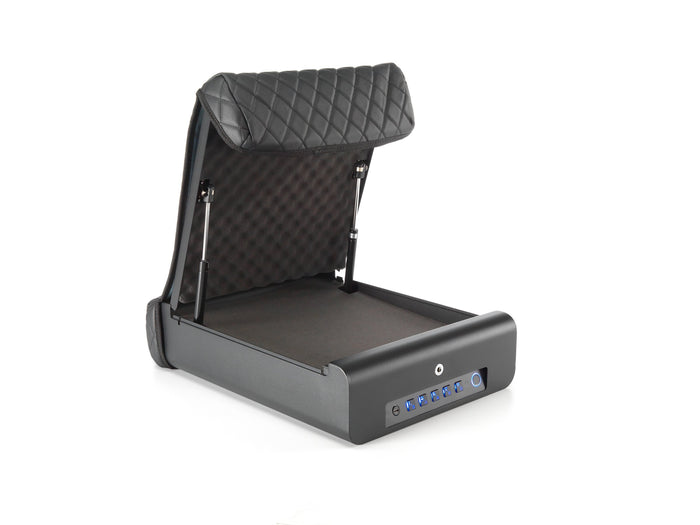
Your fingerprint safe worked flawlessly all summer. Then December arrived, and suddenly it takes three tries to open. You are not imagining it, and the safe is not broken. Winter is the hardest season for biometric locks, and it attacks from three directions at once: cold sensors, dry skin, and dying batteries.
The good news is that every one of these problems has a practical fix, and the fixes take minutes. This guide explains what winter actually does to fingerprint safes, how to set yours up to beat it, and why backup access matters more in January than in any other month. If you are still deciding between lock types, our types compared guide covers the tradeoffs.
Problem 1: cold fingers confuse the sensor
Fingerprint sensors read the fine detail of your skin. Cold changes that detail. When your hands are cold, blood flow to the fingers drops, the skin contracts slightly, and the ridges the sensor expects do not match the ridges it sees. The result is the classic winter experience: the finger that opened the safe every time in September now fails twice before it works, usually when you are in a hurry and your hands are freezing.
Gloves make it worse, because now you are either removing a glove with numb fingers or trying to enroll a gloved finger, which does not work at all. Winter is simply the season when fingerprint-only access is at its least reliable, which is exactly why fingerprint should never be the only way in.

Problem 2: dry winter skin enrolls poorly
Winter air is dry, indoor heating is drier, and by January most people's hands show it: cracked skin, rough patches, and fingertips that look nothing like they did in July. Fingerprint sensors struggle with dry, cracked skin because the cracks interrupt the ridge pattern the sensor is trying to match.
Here is the part most people miss: the enrollment matters as much as the season. If you enrolled your fingerprints in humid August, the sensor learned a summer version of your finger. By February, that finger has changed. The fix is to enroll for winter, not just for summer, which we cover below.
Problem 3: batteries die faster in the cold
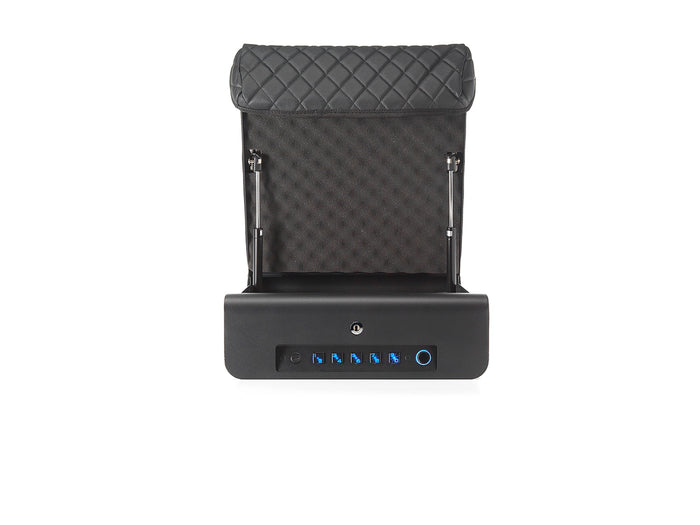
This one is pure chemistry. Alkaline batteries lose capacity as temperatures drop, and a safe sitting in a cold vehicle overnight is running on weakened cells by morning. The BoostedSafe Elite runs on 4x AA batteries, and like all battery-powered electronics, it feels the cold.
A dying battery does not just mean the fingerprint reader is sluggish. It means the whole electronic lock is sluggish, and eventually it means the lock does not respond at all. Winter is when dead-battery lockouts happen, which is why the Elite includes a USB-C jump port: even with fully dead batteries, a portable battery pack or a phone charger cable brings the lock back to life in seconds. No jump port and no backup key means a very bad morning.

The fixes: set up your safe for winter
None of this requires buying anything new. It requires about fifteen minutes of setup, ideally before the first hard freeze.
Enroll four to six fingers per person in warm indoor conditions, and include fingers from both hands. The Elite stores up to 50 fingerprints, so be generous. More enrolled fingers means more chances that one of them reads cleanly on a cold morning.
If you enrolled in summer, delete and re-enroll your primary fingers in January. The sensor will learn the winter version of your skin, cracks and all, and match rates improve immediately. Think of it as a seasonal tune-up.
Store a spare set of AA batteries somewhere warm, not in the safe itself and not loose in a freezing glovebox. An inside coat pocket, a bag you carry indoors, anywhere room temperature. Cold spares are nearly as bad as the dead ones you are replacing.
Memorize the keypad code and know exactly where the physical key is. In winter, practice opening the safe with the keypad while wearing the gloves you actually wear. If the fingerprint reader ever balks, the keypad is your primary, not your fallback.
The Elite's USB-C jump port exists for exactly this scenario: batteries fully dead on a freezing morning. Any USB-C cable and any portable battery, including the one charging your phone, powers the lock long enough to open the safe. Learn where the port is before you need it, not during.

Why backup access is a winter essential
Every safe buying guide says backup access matters. Winter is when you find out whether yours actually works. The hierarchy that survives January looks like this: fingerprint for speed when conditions are good, keypad as the cold-weather primary, physical key as the final guarantee. Any safe missing a layer is a safe that can lock you out.
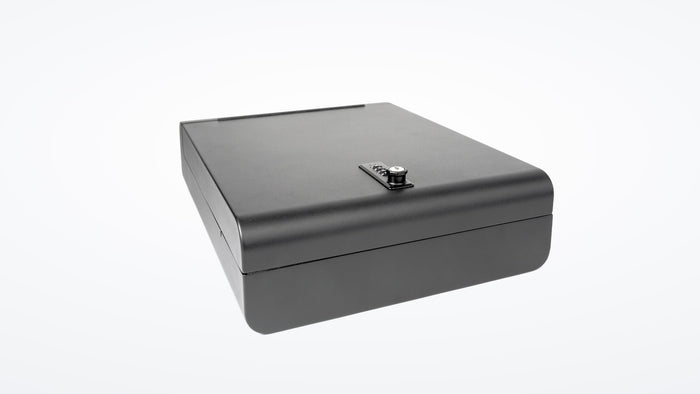
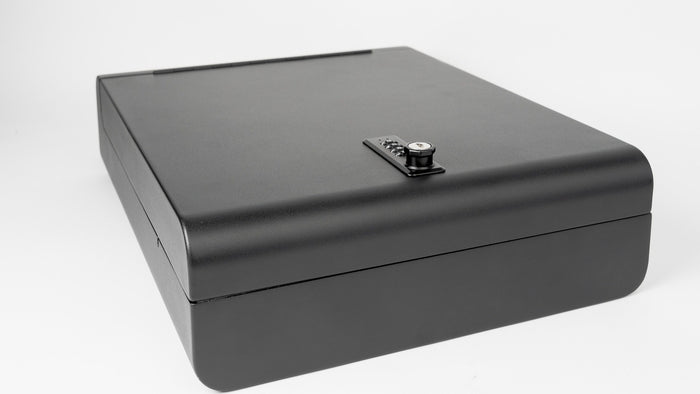
This is also the honest case for skipping electronics entirely. The BoostedSafe Basic at $299 uses a manual combination and key, with no batteries and no sensor to argue with. It opens exactly the same way at 10 degrees as at 80 degrees. For buyers in the coldest climates, or for anyone who simply does not want to think about winter maintenance, that simplicity is a feature, not a compromise.

Winter biometric checklist
- Enroll 4 to 6 fingers per person, in warm indoor conditions.
- Re-enroll primary fingers in January to capture winter skin.
- Store spare AA batteries somewhere warm, not in the vehicle.
- Memorize the keypad code and practice with winter gloves on.
- Know where the physical key is and keep it accessible.
- Learn the location of the USB-C jump port before you need it.
- Consider a manual-combination safe if you want zero winter maintenance.
Frequently asked questions
Why does my fingerprint safe stop working in winter?
Three compounding causes: cold fingers change shape slightly and reduce blood flow, which confuses the sensor; dry, cracked winter skin interrupts the ridge pattern; and cold weakens the AA batteries powering the lock. All three hit at once in January, which is why a safe that was flawless in summer struggles in winter.
Should I re-enroll my fingerprints for winter?
Yes. If you enrolled in warm weather, delete and re-enroll your primary fingers during winter so the sensor learns the current state of your skin. Enroll four to six fingers per person, from both hands, to maximize the chance of a clean read on cold mornings.
Do cold temperatures damage the safe's electronics?
Normal winter cold does not damage the electronics, but it does reduce battery capacity significantly. The lock may respond slowly or not at all on very cold mornings if the batteries are weak. Fresh batteries and the USB-C jump port on the Elite cover this completely.
What do I do if the batteries die and I cannot open the safe?
On the Elite, use the USB-C jump port with any portable battery or phone charger cable to power the lock temporarily, then open with your fingerprint, code, or key. This is also why every electronic safe must have a physical key backup. Never buy a biometric safe without one.
Is a keypad better than fingerprint in winter?
In cold conditions, yes, the keypad is often more reliable than the fingerprint reader, because it does not depend on skin condition. That is why the best winter setup treats the keypad as the cold-weather primary and the fingerprint as the fair-weather speed option, with the physical key as the final guarantee.
Should I just get a non-electronic safe for winter?
It is a legitimate choice. A manual-combination safe like the BoostedSafe Basic has no batteries and no sensor, so it works identically in every season with zero maintenance. If you live where winters are severe and you value simplicity, the Basic at $299 is the set-it-and-forget-it answer.
The bottom line
Winter does not defeat fingerprint safes, but it does expose the ones that were badly designed. Enroll generously, re-enroll seasonally, keep batteries warm, know your backups, and never rely on a single electronic method. Do that, and the safe opens on the coldest morning of the year exactly like it did in July.
Winter-proof your setup
The Elite gives you fingerprint speed with keypad and key backup plus a USB-C jump port for dead batteries. The Basic skips electronics entirely. Either way, winter is covered.